Changelog

Follow new updates and improvements to dripjobs.

August 4th, 2026

July was a big month for control and automation. You can now shape your proposals exactly how you want, offer more financing options, and let Zapier handle more of the busywork. Here's everything that shipped.

πŸ“‹ Proposals

1. Full Control Over Proposal Section Order

Drag and drop any section into place. Build proposals in whatever order tells the best story for the job.

What's new:
βœ… Drag-and-drop reordering, no more move buttons
βœ… Full position control over every eligible section
βœ… Rearrange to match how you want to present the job

Why it matters: Every job is different, so now your proposal layout can match the story you're telling instead of a fixed template.

Action required: None!


2. Set Tax Rates Right in the Builder

Enter and adjust tax rates directly in the proposal builder and templates. No more jumping to settings.

What's new:
βœ… Inline tax rate entry in the proposal builder
βœ… Works in proposal templates too
βœ… No detour to Settings required

Why it matters: One less place to click means faster, more accurate proposals.

Action required: None!


3. Your Records Now Freeze at the Moment of Signature

The instant a customer signs, DripJobs saves an exact PDF snapshot of what they agreed to.

What's new:
βœ… Automatic snapshot saved at signing
βœ… Records reflect exactly what was signed
βœ… Nothing shifts after the fact

Why it matters: No more wondering if what you're looking at matches what the customer actually agreed to.

Action required: None!


4. Capture the Real Reason a Proposal Gets Rejected

Rejection reasons now include an expanded dropdown plus an "Other" option with a feedback field.

What's new:
βœ… Expanded list of rejection reasons
βœ… "Other" option with open feedback field
βœ… Better visibility into why deals are lost

Why it matters: Knowing why a proposal gets rejected helps you close more of the next ones.

Action required: None!


πŸ“… Pipeline & Scheduling

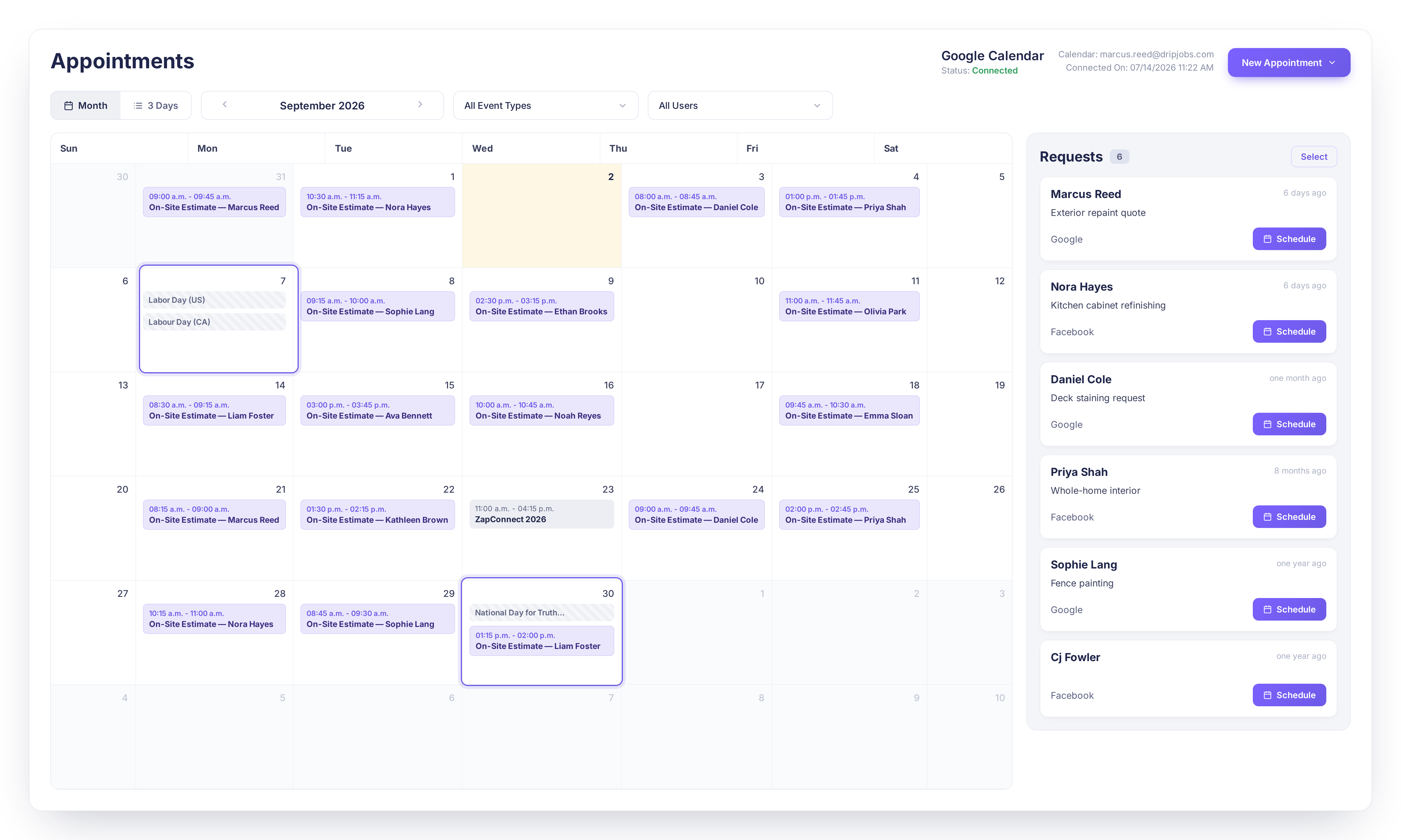
1. Clean Up Your Appointment Calendar

Select any appointment requests you don't need and archive them straight from the calendar.

What's new:
βœ… Select one or multiple appointment requests
βœ… Archive them in a click
βœ… Keeps your calendar view focused on what's active

Why it matters: A cluttered calendar full of old or irrelevant requests makes it harder to see what actually needs your attention.

Action required: None!


πŸ’° Financing

1. Acorn Financing Now Open to DripJobs Pro

DripJobs Pro plan users can now access Acorn Finance to offer customers financing options.

What's new: βœ… Acorn Finance available on the Pro plan βœ… Offer customers financing to help close bigger jobs

Why it matters: Financing options can turn a "maybe later" into a signed deal.

Action required: None! Available now if you're on DripJobs Pro.


2. Acorn Financing Live in Massachusetts

Acorn Finance is now available for Massachusetts based tenants.

What's new:
βœ… Now live for Massachusetts accounts
βœ… $6,700 minimum loan requirement applies

Why it matters: More of your customers can now spread out payment on bigger jobs.

Action required: None!


πŸ“Š Reporting

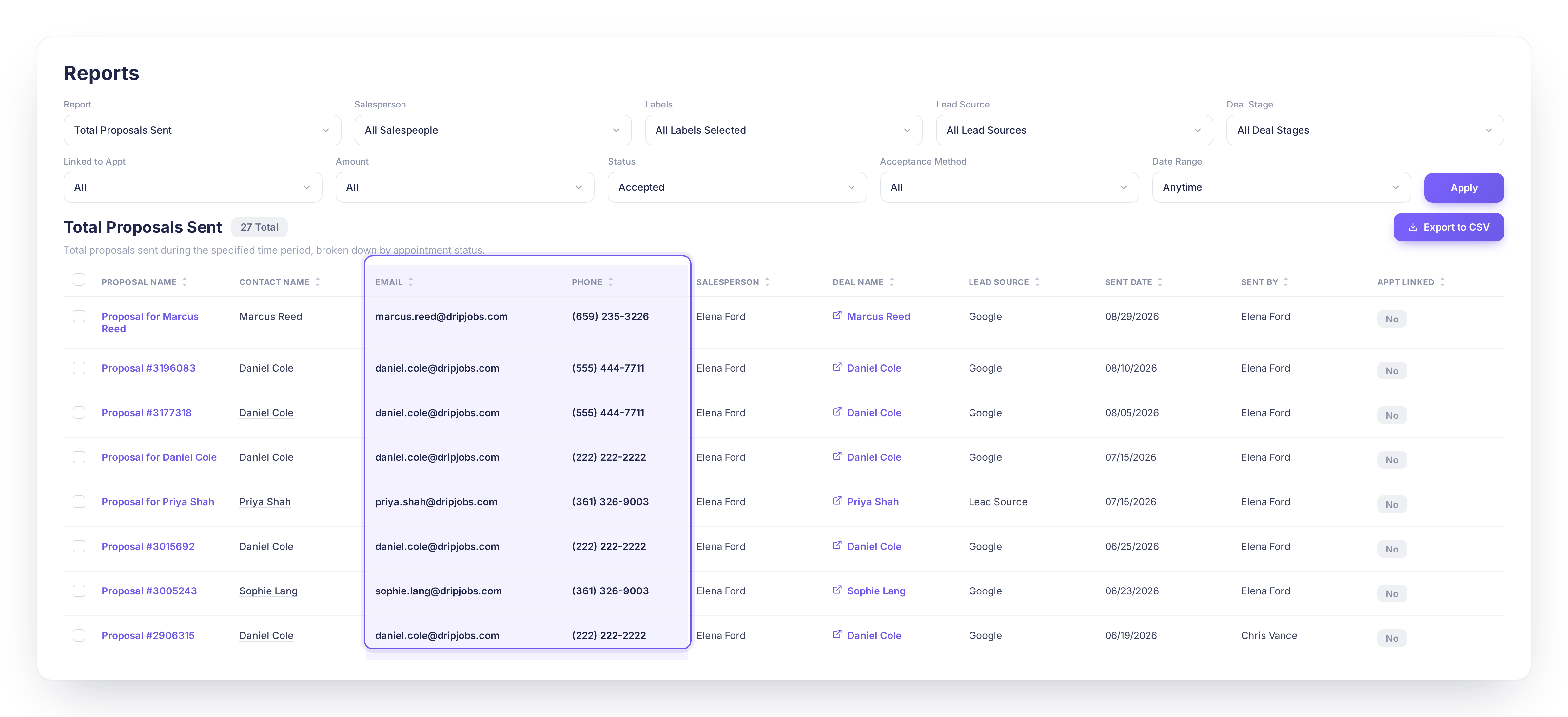
1. Click Straight Into Your Metrics

Numbers in the Metric Breakdown slide out now link directly to filtered detail reports.

What's new:
βœ… Clickable Metric Breakdown counts
βœ… Links to detail reports matching your current filters

Why it matters: Go from a top line number to the exact records behind it in one click.

Action required: None!


πŸ€– Automation

1. New Dynamic Keywords for Personalized Messaging

Added {salesperson-first-name} and {user-first-name} keywords for drips, reminders, and templates.

What's new:
βœ… {salesperson-first-name} keyword
βœ… {user-first-name} keyword
βœ… Usable in drips, reminders, and message templates

Why it matters: More personal feeling messages, without any extra typing per customer.

Action required: None! Drop the new keywords into any message where you'd like them.


2. Send Job Costing Data to Any App

A new Zapier trigger fires your complete job costing payload out to any connected app.

What's new:
βœ… New Zapier trigger for job costing data
βœ… Pipe numbers into spreadsheets, dashboards, or accounting tools

Why it matters: Your job costing numbers can now flow automatically wherever you need to see them.

Action required: Set up the trigger in Zapier if you'd like to use it.


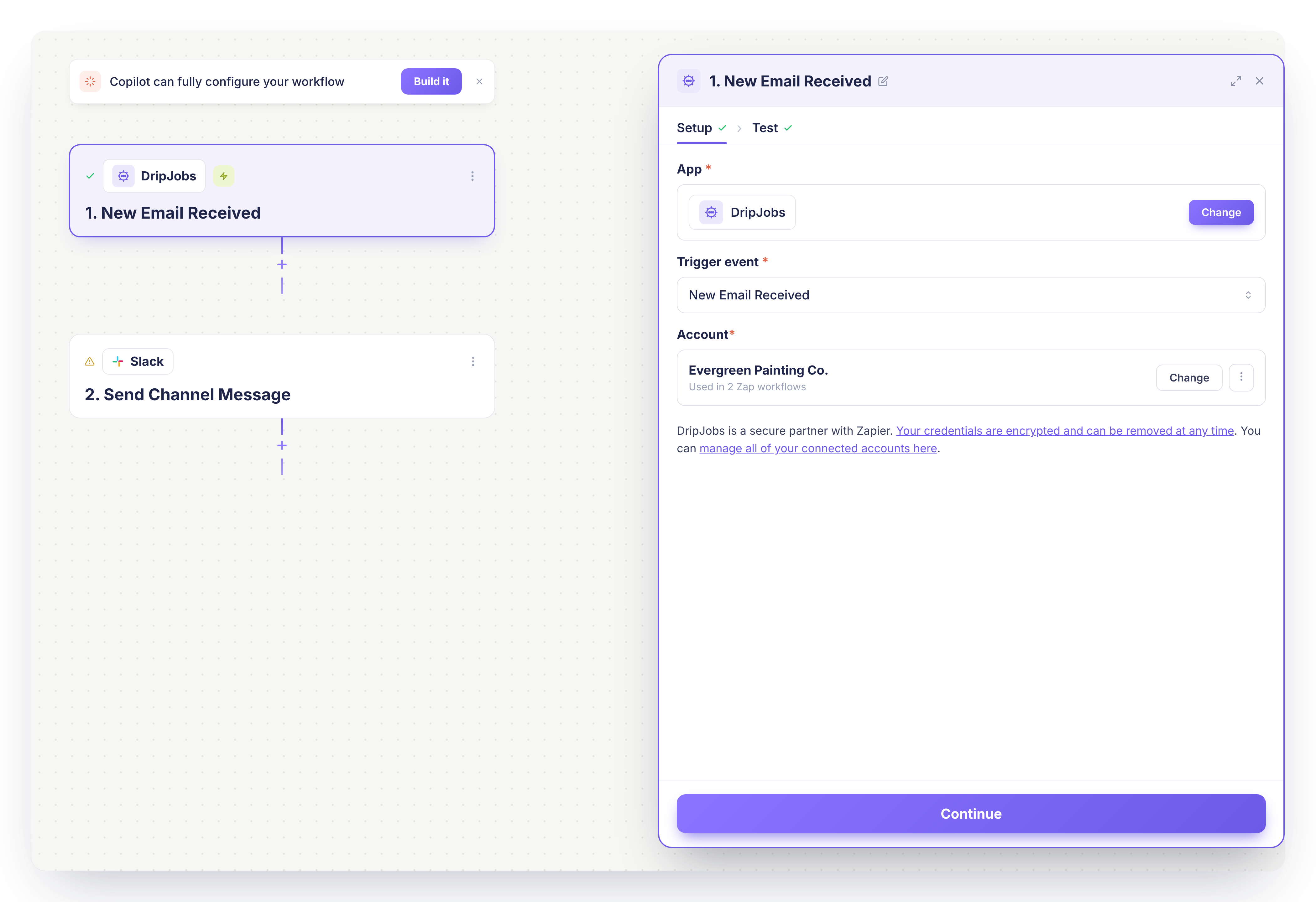
3. Move Deals Automatically with Zapier

A new Zapier action moves a deal to the stage you choose.

What's new:
βœ… New Zapier action to move deals between stages
βœ… Automate pipeline movement instead of dragging cards

Why it matters: Let your automations manage routine pipeline moves so you don't have to.

Action required: Set up the action in Zapier if you'd like to use it.


4. Always Automate on the Latest Deal

A new Zapier action pulls a contact's most recent deal.

What's new:
βœ… New Zapier action for "most recent deal"
βœ… Ensures automations act on the latest job, not an old one

Why it matters: Keeps your automations accurate as contacts move through multiple jobs over time.

Action required: Set up the action in Zapier if you'd like to use it.


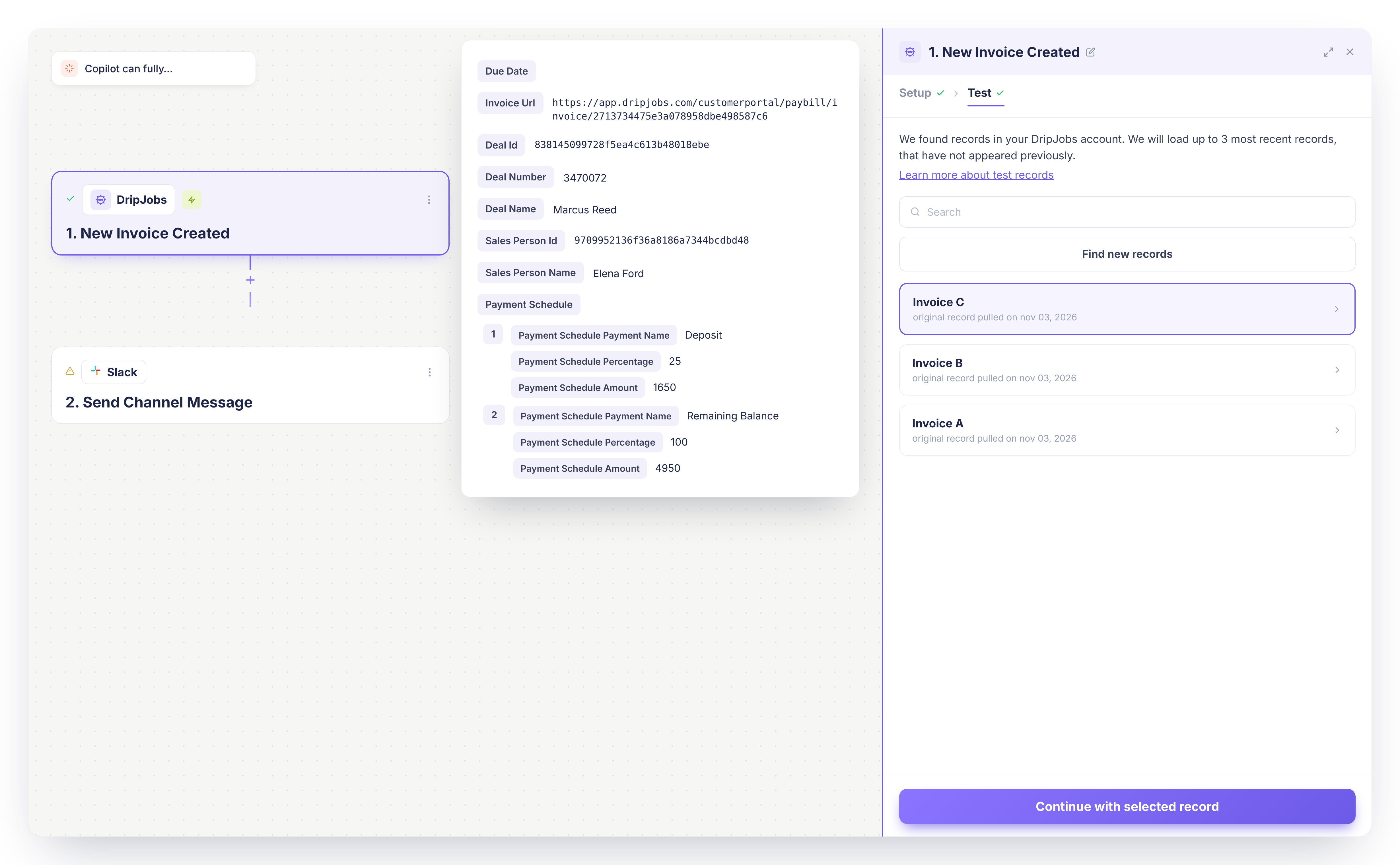
5. New Zapier Trigger: Invoice Created

A new trigger fires whenever an invoice is created in DripJobs.

What's new:
βœ… New Zapier trigger for invoice creation
βœ… Pipe invoices into accounting tools, spreadsheets, or dashboards

Why it matters: Keep your books and reports in sync the moment an invoice goes out.

Action required: Set up the trigger in Zapier if you'd like to use it.


6. New Zapier Trigger: Incoming Text Message


Kick off automations the instant a customer texts you.

What's new:
βœ… New Zapier trigger for incoming texts
βœ… Route messages, log them, or alert your team automatically

Why it matters: Never miss a beat when a customer reaches out by text.

Action required: Set up the trigger in Zapier if you'd like to use it.


7. New Zapier Trigger: Proposal Rejected


A new trigger fires the moment a customer rejects a proposal.

What's new:
βœ… New Zapier trigger for proposal rejections
βœ… Alert your team, log the loss, or kick off a follow-up automation

Why it matters: You can respond to a lost deal right away instead of finding out about it later.

Action required: Set up the trigger in Zapier if you'd like to use it.


8. New Zapier Trigger: Payment Received


A new trigger fires whenever a payment comes in.

What's new:
βœ… New Zapier trigger for received payments
βœ… Sync payments to your accounting tools or dashboards automatically

Why it matters: Keep your financial records up to date the moment money hits your account.

Action required: Set up the trigger in Zapier if you'd like to use it.


πŸ’¬ Communication

1. Know Who's Opted Out, Everywhere

Drip & reminder opt out status now appears across the Contact Record, Command Center, Deal Card, and Job Card.

What's new:
βœ… Opt out status visible in 4 key places
βœ… Always visible before you hit send

Why it matters: One less way to accidentally message someone who's opted out.

Action required: None!

2. Loop Your Admins In When a Proposal Is Accepted

CC all account administrators on Proposal Accepted notifications.

What's new:
βœ… CC admins automatically on Proposal Accepted alerts
βœ… Whole leadership team knows the moment a customer signs

Why it matters: Big wins shouldn't sit in one inbox. Now your whole team can celebrate (and act) in real time.

Action required: None!


πŸ‘₯ Team & Account

1. Add Your Tax Registration Number to Invoices

A new field in Company Settings displays your tax registration number on invoices.

What's new:
βœ… New Tax Registration Number field
βœ… Displays automatically on invoices

Why it matters: Handy for regions that require a registration number to appear on billing documents.

Action required: Add your number in Company Settings if you'd like it to appear.


2. Hide Labor Hours on Work Orders

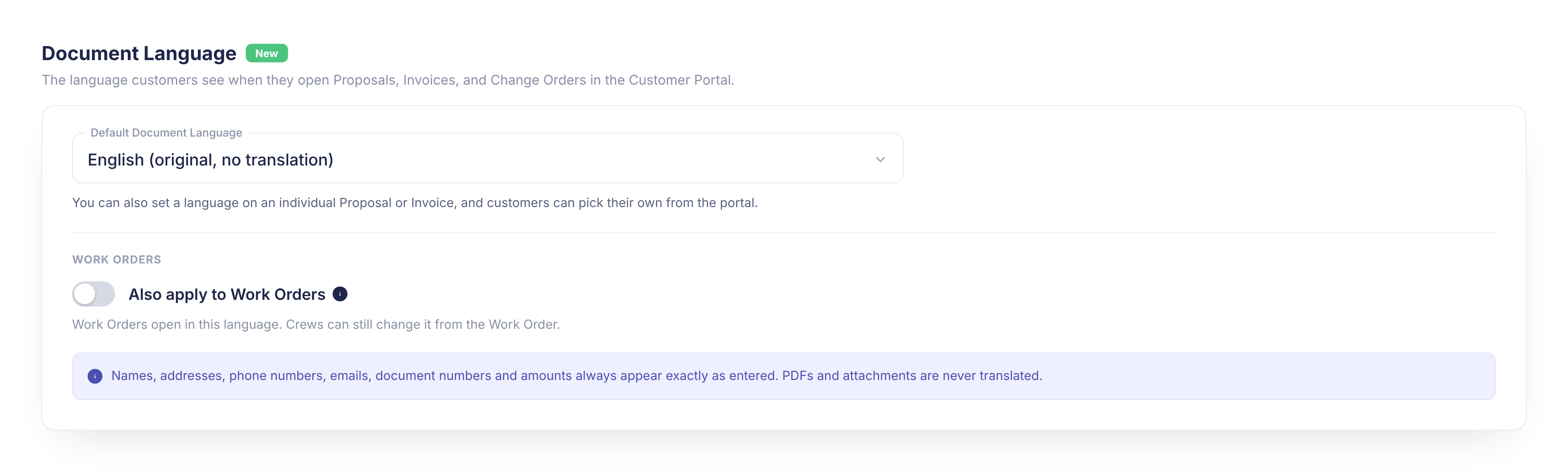
A new independent toggle in Production Rates settings lets you hide labor hours on work orders.

What's new:
βœ… New toggle to hide hours on work orders
βœ… Show your crew the scope without exposing time estimates

Why it matters: Keep your labor estimates private while still giving your crew a clear scope of work.

Action required: Turn on the toggle in Production Rates settings if you'd like to hide hours.


Questions about anything above? Reach out to our support team, we love hearing how these updates land in the field.

See all releases anytime at dripjobs.com/whats-new

πŸŽ“ Training Opportunities

Want to get the most out of DripJobs? Our team offers refresher sessions to help you master the platform. Whether you need a general overview or want to dive deep into specific features, we've got you covered!

πŸ“ Refreshers – Perfect for brushing up on DripJobs fundamentalsΒ Schedule Here

πŸ“ Expert Deep Dives – Advanced sessions on specialized topics:


πŸ“– Helpful Resources

πŸ“Œ Need help with a specific topic? Check out our Help Center!

July 2nd, 2026

This June, we shipped a handful of new features that put more control in your hands β€” from embeddable booking forms to one-tap calling in the field to clickable metrics you can actually dig into. Here's everything new this month.


πŸ†• New This Month

πŸ”— Embed Any Booking Form on Your Website

Generate an embed code for any booking form and send it straight to your developer by email, right from your Booking Forms list.

βœ… Generate an embed code with one click

βœ… Email the code directly to your developer, no copy-pasting

βœ… Available next to any form in your Booking Forms list

Why it matters: If you want booking on your own website, this cuts out the back-and-forth of manually sending code.

⚑ Action required: None β€” find the option next to any form in your Booking Forms list.


πŸ“ž One-Tap Calling from the Mobile App

Tapping a phone number in the mobile app now deep-links directly into the Quo calling app.

βœ… Tap any phone number to call instantly through Quo

βœ… No more switching apps or copying numbers

Why it matters: One tap instead of several means faster callbacks from the field.

⚑ Action required: Requires the Quo app to be installed on your device.


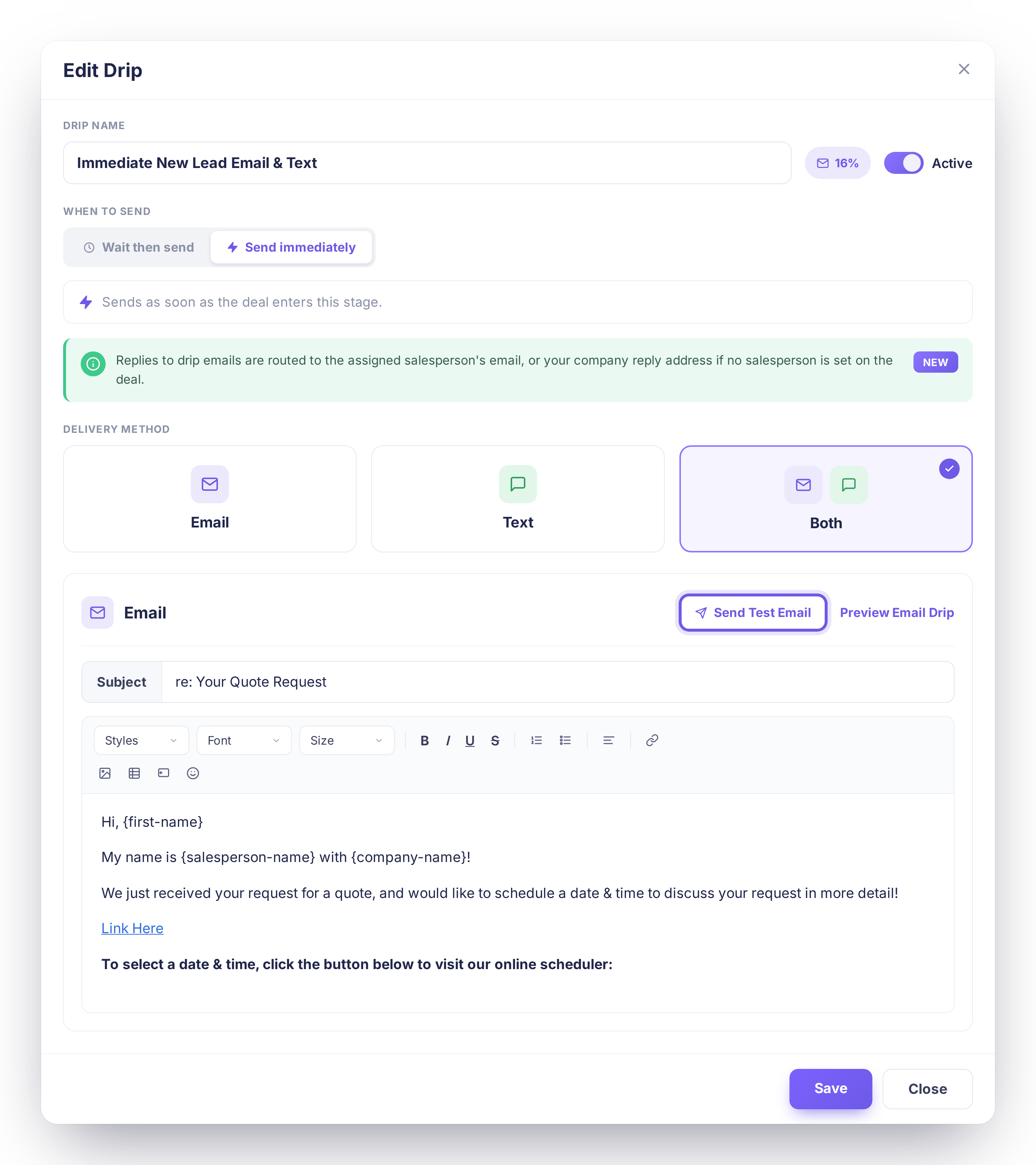
πŸ“§ Set a Company-Wide Reply-To Address

Set a single reply-to address for all outbound emails and messages sent from DripJobs.

βœ… One reply-to address for every outbound email and message

βœ… Configured once at the company level

Why it matters: Customer replies now land exactly where you want them, instead of wherever the system defaulted to.

⚑ Action required: Set your preferred reply-to address in Company Settings if you'd like to use this.


πŸ€– Auto-Assign Salesperson & Project Manager

Leads coming in through can now automatically be assigned a default salesperson and project manager.

βœ… Set default assignees once in Settings

βœ… Every automated lead routes exactly like the rest of your pipeline

Why it matters: Leads from automated sources used to need manual assignment β€” now they don't.

⚑ Action required: Set your default assignees in Settings if you want this applied.


πŸ“Š Click Into Your Metrics & Reports

Metrics page cards and report sections are now clickable, with helpful hints and row-level drill-down.

βœ… Click any metric card to see the numbers behind it

βœ… Hover states and hint banners guide you to what's clickable

βœ… Drill down to row-level detail on reports

Why it matters: You can now dig into the story behind each number instead of just seeing the top-line total.

⚑ Action required: None β€” try clicking into any metric card to explore.


🎨 Products & Services, Refreshed

The Products & Services list and edit views have a cleaner, more modern look.

Why it matters: A clearer layout makes it faster to manage and update your catalog.

⚑ Action required: None.


Questions about anything above? Reach out to our support team, we love hearing how these updates land in the field.

See all releases anytime at dripjobs.com/whats-new

πŸŽ“ Training Opportunities

Want to get the most out of DripJobs? Our team offers refresher sessions to help you master the platform. Whether you need a general overview or want to dive deep into specific features, we've got you covered!

πŸ“ Refreshers – Perfect for brushing up on DripJobs fundamentalsΒ Schedule Here

πŸ“ Expert Deep Dives – Advanced sessions on specialized topics:


πŸ“– Helpful Resources

πŸ“Œ Need help with a specific topic? Check out our Help Center!
May 4th, 2026

April was all about sharpening the tools you use every single day. From a completely reimagined Metrics Dashboard to smarter proposal workflows, faster mobile scheduling, and a wave of stability fixes β€” this month delivered depth and polish across the board.

πŸ“Š Metrics Dashboard

Metrics Dashboard β€” Full Redesign with KPI Banner & Breakdown Cards

The Metrics Dashboard got its biggest upgrade yet β€” a complete ground-up redesign.

βœ…Β Β Β  New KPI Banner with two groups: Revenue & Wins (Sales, Jobs Won, Avg Job Size) and Conversions & Volume (Closing Ratio, Set Rate, Appointments) β€” all driven by the selected date range

βœ…Β Β Β  Clickable KPI cards now expand an inline detail panel (desktop) or a slide-in drawer (mobile) showing breakdowns and formulas for each metric

βœ…Β Β Β  12 breakdowns section cards: Sales by Source, Salesperson, Zip, Crew, Product; Closing Ratio cards; Leads by Source; Leads to Appointments; Interior & Exterior Sales by Production Rate β€” all date-range filtered

Why it matters: You can finally see your business performance for any period in one place β€” and actually trust the numbers. Every KPI, every card updates together when you change the date range.

Action required: None! Head to your Metrics Dashboard and explore the new layout.Β 


Metrics KPI Banner β€” Dedicated Mobile Layout

The KPI Banner now has a purpose-built mobile layout instead of a compressed desktop version.

βœ…Β Β Β  Mobile-optimized card layout with proper sizing and tap targets

βœ…Β Β Β  Period selector moves to a sticky sub-bar below the nav on mobile

βœ…Β Β Β  Metric detail drawers slide in from the right with a dimmed backdrop

Why it matters: You can check your numbers on the go without squinting or pinching to zoom.

Action required: None!


πŸ“‹ Proposals

Bulk Product Changer β€” Swap Products Across an Entire Area at Once

One of the most-requested features is finally here: change the paint product on every substrate in an area with a single action.

βœ…Β Β Β  New "Change products" modal accessible from a cog icon or a purple callout banner in the Cost Summary view

βœ…Β Β Β  "Apply all" button swaps the product on every substrate in the area at once; individual rows can still be edited independently

βœ…Β Β Β  Live material price difference preview shows the cost impact before you save β€” green for cost increases, red for savings

Why it matters: No more going substrate by substrate when a product changes or goes out of stock. What used to take 10 minutes now takes 10 seconds.

Action required: None! Open any proposal in Cost Summary view to find the new "Change products" option in each area header.

You can find our Article Guide Here: [Click here]


Invoice Due Date β€” Overdue Logic

Three related invoice bugs were patched in one shot.

βœ…Β Β Β  Overdue logic no longer fires on the same day the invoice is due (it now triggers the day after)

βœ…Β Β Β  Today's date is no longer blocked in the due date calendar picker

Why it matters: No more invoices showing as overdue the moment you create them, and no more fighting with the date picker.

Action required: None!


βš™οΈ Settings & Add-Ons

Relocate Portal Accent Color to Customer Portal Settings

The portal accent color setting was buried in a non-obvious location. It has been moved to Customer Portal Settings where it belongs.

βœ…Β Β Β  Portal Accent Color is now under Company Settings β†’ Customer Portal

Action required: None! If you want to update your portal color, head to Company Settings β†’ Customer Portal.


πŸ”— Integrations

πŸ†• BETA: Acorn Financing Now Available for Canadian Contractors

Canadian contractors in eligible provinces can now offer Acorn Financing directly through DripJobs.

βœ…Β Β Β  Acorn Financing (via Fig / Canada Fig) is now enabled for supported Canadian provinces

βœ…Β Β Β  Upgrade messaging inside the app has been updated to reflect Canadian availability

βœ…Β Β Β  In-app Acorn upgrade message updated to match the new offering

Why it matters: Offer financing to your customers right from the proposal β€” close bigger jobs by removing the upfront payment barrier.

Action required: This is a Beta release. If you're a Canadian contractor and want to enable Acorn Financing, contact support to get set up.

Β 

March 6th, 2026

Hey DripJobs Community,

February brought some exciting new capabilities to help you close more deals and work more efficiently. We focused on giving your customers better visibility, making your integrations smarter, and adding flexibility where you need it most. Check out what's new! πŸ‘‡


🎨 Complete Customer View Redesign

Brand New Proposal Customer View

We completely redesigned the proposal customer view with a modern, professional look that helps you close more deals.

What's new: The entire customer-facing proposal experience has been refreshed with a cleaner, more polished design that makes your proposals stand out and builds trust at every step.

βœ… Modern, clean design that looks premium
βœ… Professional presentation that reflects well on your brand
βœ… Better visual hierarchy guides customers through your proposal
βœ… Mobile-optimized for perfect viewing on any device

Why it matters: First impressions matter. When a customer opens your proposal, they should immediately see a professional, trustworthy business. This new design does exactly thatβ€”turning proposals into powerful closing tools.


πŸ“Έ Proposal Hero Image

Add a stunning hero image to the top of your proposals to make an immediate visual impact.

What's new: You can now set a custom hero image that appears at the top of your customer-facing proposals, setting the tone and showcasing your brand or work right from the start.

βœ… Grab attention immediately with visual appeal
βœ… Showcase your best work or brand identity
βœ… Create a memorable first impression
βœ… Professional presentation that builds credibility

Why it matters: Proposals with strong visuals get more engagement. A hero image transforms your proposal from a document into an experience that customers remember.

Action required: Upload your hero image in Customer Portal settings to start using this feature!


πŸ›‘οΈ Proposal Trust Builders

Build credibility instantly with trust indicators displayed prominently on your proposals.

What's new: Add up to 3 trust builders (like years in business, projects completed, certifications, awards, or guarantees) that appear on your proposals to establish credibility before customers even read the details.

βœ… Establish credibility immediately
βœ… Differentiate yourself from competitors
βœ… Address common buyer concerns proactively
βœ… Professional presentation of your credentials

Why it matters: Trust is the foundation of every sale. Customers want to know they're working with an established, credible business. Trust builders give them that confidence at the exact moment they're evaluating your proposal.

Action required: Complete all 3 trust builders in your settings for them to appear on proposals. Go to Customer Portal settings to set them up!


⭐ Proposal Social Proof Banner

Showcase your reputation with a dedicated social proof banner featuring your reviews and ratings.

What's new: Display your star rating, review count, and a featured customer testimonial in a prominent banner on your proposals. This social proof appears right where customers are making their decision.

βœ… Leverage your reputation to close more deals
βœ… Build trust with real customer testimonials
βœ… Stand out with visible proof of quality work
βœ… Reduce buyer hesitation with social validation

Why it matters: 95% of customers read reviews before making a purchase decision. Having your social proof front and center on proposals dramatically increases conversion rates by showing prospects that others trust you.

Action required: Fill out all 3 social proof fields (star rating, review count, testimonial) in your settings for the banner to appear on proposals!


πŸ“¦ Package Area Details Are Now Expandable

Customers can now tap any area inside a package to see the full scope β€” surfaces, items included, and notes β€” in a clean detail popup.

What's new: Previously, package area rows were static with no way to view details. Now customers can explore exactly what's included in each area without calling you.

βœ… Customers see exactly what they're getting
βœ… Fewer follow-up questions during proposal review
βœ… Faster closes with more confident buyers

Why it matters: Transparency builds trust. When customers can explore what's included without calling you, they're more likely to move forward quickly with confidence in what they're buying.

Action required: None! Live for all proposals using package pricing.


πŸ”— Integrations

πŸ“ž QUO Integration - Centralized Call Tracking

Keep all your customer communications in one place with our new QUO integration.

What's new: The QUO integration automatically syncs all your customer calls and transcripts directly into DripJobs, giving you a complete communication history without switching between platforms.

βœ… All customer calls recorded and stored in DripJobs
βœ… Full call transcripts for easy reference
βœ… Complete communication history in one place
βœ… Better context for every customer interaction
βœ… No more switching between systems to find call records

Why it matters: When you're following up with a customer or handling a service issue, having instant access to past call history and transcripts is invaluable. This integration ensures nothing falls through the cracks and your entire team has the context they need.

Action required: Connect QUO in Settings β†’ Integrations to start syncing your calls!


πŸŽ“ Training Opportunities

Want to get the most out of DripJobs? Our team offers refresher sessions to help you master the platform. Whether you need a general overview or want to dive deep into specific features, we've got you covered!

πŸ“ General Refreshers – Perfect for brushing up on DripJobs fundamentals or getting new team members up to speed: Schedule Here

πŸ“ Expert Deep Dives – Advanced sessions on specialized topics:


πŸ“– Helpful Resources

πŸ“Œ Need help with a specific topic? Check out our Help Center!
πŸ“Œ Questions about these updates? Reply to this email and we'll get you sorted.


That's a wrap for February! We're especially excited about the new proposal customer view β€” it's a game-changer for closing deals. March is already packed with improvements, so stay tuned! ✌️

β€” The DripJobs Team

February 5th, 2026

Hey DripJobs Community,

Happy New Year! We kicked off 2026 by tightening up your workflows, improving reliability across proposals and pipelines, and making the mobile experience smoother than ever. This month was all about polishβ€”fixing the details that make your day-to-day easier and more predictable. Let's dive in! πŸ‘‡


πŸ“‹ Proposals, Packages & Pricing

Smarter Package-Based Proposals

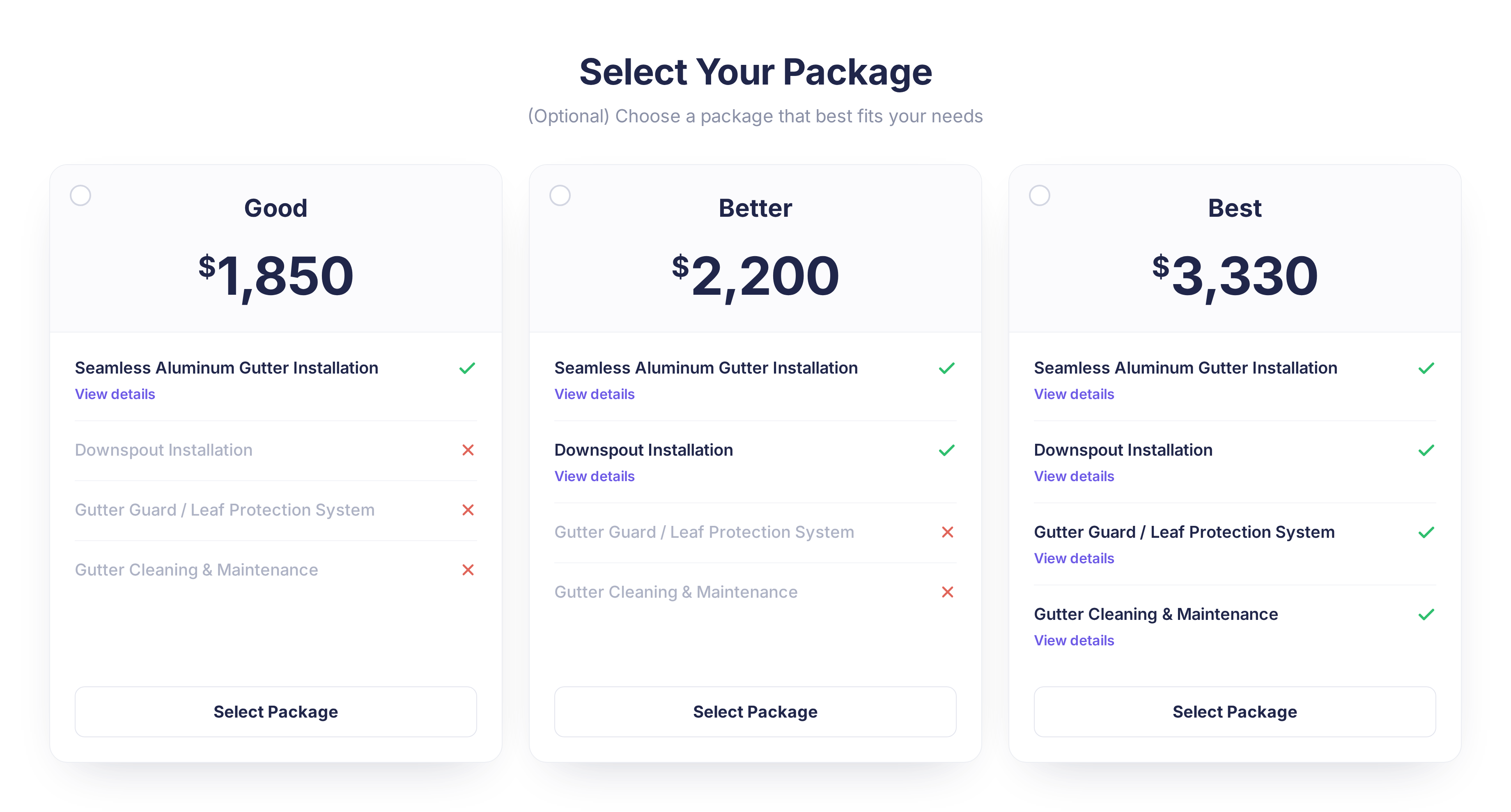
We introduced the first version of packaged pricing so you can present clear, option-based proposals with package-level pricing.

βœ… Present multiple options in one proposal
βœ… Clearer customer portal experience when selecting packages
βœ… Helps homeowners compare and choose what fits their budget

Why it matters: Package-style proposals reduce confusion, minimize back-and-forth, and speed up approvals by making it crystal clear what's included in each option.

Action required: None! If you want to start using packages, just create or update your proposal templates to include packages and share them as usual.


Proposal Templates Just Got Better

New template features:

  • Set a default proposal template so new proposals start from your go-to layout

  • Improved navigationβ€”Proposal Templates now clearly under Proposals menu

βœ… Faster access to your templates
βœ… Consistent, professional proposals every time
βœ… Better mobile experience

Action required: Set your default proposal template in settings so new proposals start from your preferred layout!

Action required: None!


πŸ”¨ Work Orders

Multi-Recipient Work Order Delivery

Big improvement here! You can now send Work Orders via email and SMS to multiple employees and/or subcontractors at once.

βœ… Keep entire crew alignedβ€”leaders, helpers, and subs
βœ… No more manual forwarding
βœ… Everyone gets the info they need

Why it matters: Communication is everything on job day. This makes it effortless to keep everyone in sync.

Action required: None! When sending a Work Order, just select all relevant recipients from the updated interface.


πŸ“± Mobile App Improvements

Faster, Smoother, Better-Looking Mobile Experience

We gave the mobile app a major polish! We've updated the appearance and navigation to make the app much faster and easier to use.

What's new:

  • Completely refreshed UI - Cleaner, more modern look throughout the app

  • Lightning-fast navigation - Move between screens quickly without lag

  • Better layout on customer info and contacts screens

βœ… Dramatically faster and more intuitive navigation
βœ… Modern, polished appearance that looks professional
βœ… Work from your phone or tablet without missing features
βœ… No need to "go back to the office" to fix details
βœ… Consistent experience across devices

Why it matters: We know you're constantly on the move. The app should keep up with you, not slow you down. These appearance and performance improvements mean your team can be just as productive in the field as they are at their deskβ€”maybe even more so!

Action required: Make sure your team is on the latest version of the DripJobs mobile app to experience the speed boost!


πŸ”— Integrations

Zapier Enhancements

New Zapier improvements:

  • Optional Deal Name mapping field when creating deals via Zapier

  • Enhanced "Create On Site Estimate" actionβ€”better handling of existing deals

  • Moves deals to correct "Estimate Scheduled" stage automatically

βœ… More control over automated lead creation
βœ… Better data hygiene
βœ… Smarter scheduling automation

Action required: If you use Zapier with DripJobs, review your Zaps and consider mapping the new Deal Name field or updating onsite-estimate automations.


πŸ€– Jobi AI Experience

Polished Jobi AI In-App Experience

We improved the Jobi AI experience in the Deal Command Center:

  • Better upsell view for non-subscribers

  • Clearer helper text showing how Jobi AI uses your notes

  • Improved end-to-end subscription flow

βœ… Understand the value of Jobi AI more clearly
βœ… Get more out of your subscription with better context

Action required: None! If you're interested in Jobi AI, open the Jobi AI tab in the Deal Command Center to see the updated experience.


πŸŽ“ Training Opportunities

Want to get the most out of DripJobs? Our team offers refresher sessions to help you master the platform. Whether you need a general overview or want to dive deep into specific features, we've got you covered!

πŸ“ General Refreshers – Perfect for brushing up on DripJobs fundamentals or getting new team members up to speed: Schedule Here

πŸ“ Expert Deep Dives – Advanced sessions on specialized topics:


πŸ“– Helpful Resources

πŸ“Œ Need help with a specific topic? Check out our Help Center!
πŸ“Œ Questions about these updates? Reply to this email and we'll get you sorted.


That's a wrap for January! We're excited about what's coming in February. Keep an eye out for more improvements and some big announcements coming soon. ✌️

β€” The DripJobs Team

April 29th, 2025

Hey DripJobs Community,

We’re always working to make DripJobs more powerful and seamless for your business. This month, we launched internal lead sources, CompanyCam photo enhancements, and features you might not be using yetβ€”plus a sneak peek at what’s around the corner. Check it out! πŸ‘‡


πŸ“Š Internal Lead Sources

You can now track your internal lead sources more precisely! This update gives you deeper visibility into internal lead sources.

βœ… Filter and analyze internal lead sources
βœ… Make better, data-driven decisions

Watch the walkthrough here:


πŸ“Έ CompanyCam Attachment Enhancements

Customize your proposals with selective photo sharing! Choose which CompanyCam photos appear on your proposal so customers only see what matters most.

βœ… Handpick images for a clean, professional proposal
βœ… Enhance transparency and trust

See how it works:


πŸ’¬ Custom Messages in the DripJobs Chat App

This one's a hidden gem! You can create custom, reusable messages in the Chat Appβ€”perfect for sending quick updates, follow-ups, or reminders without typing them out each time.

βœ… Speed up communication
βœ… Keep messaging consistent and on-brand

Learn more here:


⚑ Zapier Highlight: Proposal View Alerts

Power users, take note! You can create a Zap that sends you a text or Slack notification when a proposal is viewed, plus get insights into how long and how many times it was viewed.

βœ… Stay on top of proposal activity
βœ… Automate follow-up timing

How to set it up in Zapier:


πŸͺ΄ Coming Soon: Acorn Financing

We're nearing full rollout! Acorn Financing is currently in beta and will soon be available. Want early access to help shape the experience?

πŸ“Œ Let us know, and we’ll add you to the beta group!


🎯 DripJobs Challenges Are Coming

Big things are on the horizon! DripJobs Challenges will help our community grow together through shared goals, tips, and wins.

βœ… Share strategies
βœ… Support each other
βœ… Unlock your full potential

πŸ’¬ Ready to level up your game? Stay tunedβ€”we’ll reveal more soon.

May be a graphic of β€Žtext that says 'β€ŽCreate Challenge Challenge your friends to friendly competition Challenge Type Volume Challenge Highest sales wins Goal Challenge Race to target Duration 7 Days 14 Days 30 Days Χ˜Χ™ Select Friends Custom Elite Painters Master Painters Co. Quality Painting Services Pro Painters Inc Create Challenge Cancelβ€Ž'β€Ž

🧠 Weekly Training Opportunities

πŸ“ Wednesday Roundtables at 2:00 PM EST – Special Topics and Q&A: Register Here!
πŸ“ Expert Refreshers – Advanced sessions on:


πŸ“– Helpful Resources

πŸ“Œ Need help with a specific topic? Check out our Help Center!
πŸ“Œ Curious about financing? Check out our Financing articles!

Got feedback or ideas? We’d love to hear from you. Just reply to this email and we’ll make sure your input gets to the right place.

That’s a wrap for Aprilβ€”see you in May! ✌️

β€” The DripJobs Team

March 31st, 2025

Hey DripJobs Community,

We’re always working to make DripJobs more powerful and seamless for your business. This month, we’re rolling out new automation tools, enhanced payment controls, and exciting beta testing to help you streamline your workflow. Check out what’s new! πŸ‘‡


πŸ–ŠοΈ Salesperson Signature Keyword

Personalize your customer communication with the new Salesperson Signature keyword! Now, you can add a salesperson’s signature to your account and insert it into drips and messages for a more professional and consistent touch.

πŸ“Œ How to use it? Simply add the salesperson's signature keyword to any automated message, and DripJobs will populate the correct details automatically.

Take a look here for more guidance:


⏰ Appointment Start & End Time Keywords

Make scheduling crystal clear by including start and end times in your automated messages. Whether you’re confirming an appointment or sending reminders, your customers will now see a clear time range for their scheduled services.

βœ… No more confusion about appointment start and end times
βœ… Works seamlessly in Drips and communication messages

Click below for more guidance and information:


πŸ’³ Payment Toggles for Proposals & Invoices

We’ve expanded your payment flexibility! Now, when you toggle these options on or off in your payment settings, these settings will automatically apply to your proposals and invoices, making transactions smoother than ever:


βœ”οΈ Credit Card
βœ”οΈ ACH Transfers
βœ”οΈ Alternative Payment Methods
βœ”οΈ Waive Processing Fees

Payment Settings:

Proposal Payment Settings: Automatically Enabled & Disabled


🌱 Acorn Beta Testing is Live!

Exciting news! DripJobs and Acorn are now in beta testing. Once fully vetted, we’ll roll this out to all users. Stay tuned as we refine this integration to bring even more automation and efficiency to your workflow!


πŸ“– Helpful Resources

πŸ“Œ Need help with keywords? Check out our Keyword Help Article to learn how to use keywords effectively in DripJobs.

πŸ“Œ Learn more about Acorn Financing. Download our Acorn Financing PDF to see how this integration can help your customers finance their projects with ease.

Got feedback? We’d love to hear it! Simply reply to this email, and our team will make sure your input gets to the right place.

That’s a wrap for Marchβ€”see you next month! ✌️

β€” The DripJobs Team

February 28th, 2025

Hey DripJobs Community,

We’re back with some exciting updates designed to give you more control, flexibility, and security in your workflow. This month, we’re rolling out the new secret work order, translation capabilities from within the work order, customizable proposal terms and conditions, and manual approvals to help you streamline your operations. Check out what’s new! πŸ‘‡

πŸ› οΈ Secret Work Orders – Keep Sensitive Information Private

We’ve introduced Secret Work Orders, allowing you to send work orders to employees and subcontractors without revealing the job address or client contact details.

πŸ”’ Key Features:
βœ… Hides job address & client contact info – Only the necessary details are shared.
βœ… Easily sent via text & email for quick access.
βœ… Accessible within the Proposal and the Work Orders tab.

This ensures subcontractors and employees see only what they need, keeping client information secure while maintaining seamless job communication.

✍️ Customizable Terms & Conditions Per Proposal

You now have the ability to edit the Terms & Conditions for each proposal, giving you flexibility to adjust terms based on the project type and client needs.

πŸ“Œ How to Use It:

  • Find the Terms & Conditions editor at the bottom of the proposal.

  • Customize and adjust them before sending.

  • Set unique terms for different jobs and clients for improved clarity and legal flexibility.

🌍 Work Order Translation – Communicate Across Languages

Need to send work orders in another language? Now, you can translate work orders directly from within the work order itself!

πŸ“ How it Works:

  • Open a work order and select the translate option at the top.

  • Instantly convert instructions into another language for employees or subcontractors.

  • Ensure clarity and avoid miscommunication.Β 

βœ… Manual Proposal Approvals – No Signature Required

You can now manually approve proposals without a signature and move them directly to the Jobs Pipeline.

πŸ“ Where to Find It:

  • Simply approve at the bottom of the proposal, and the deal transitions forward to the Jobs Pipelineβ€”no digital signature required! Check it out below!

This is perfect for situations where you receive verbal confirmations or offline approvals.

πŸ”Ž More from DripJobs…

🏦 Financing options coming soon! Join our Beta testing group here!

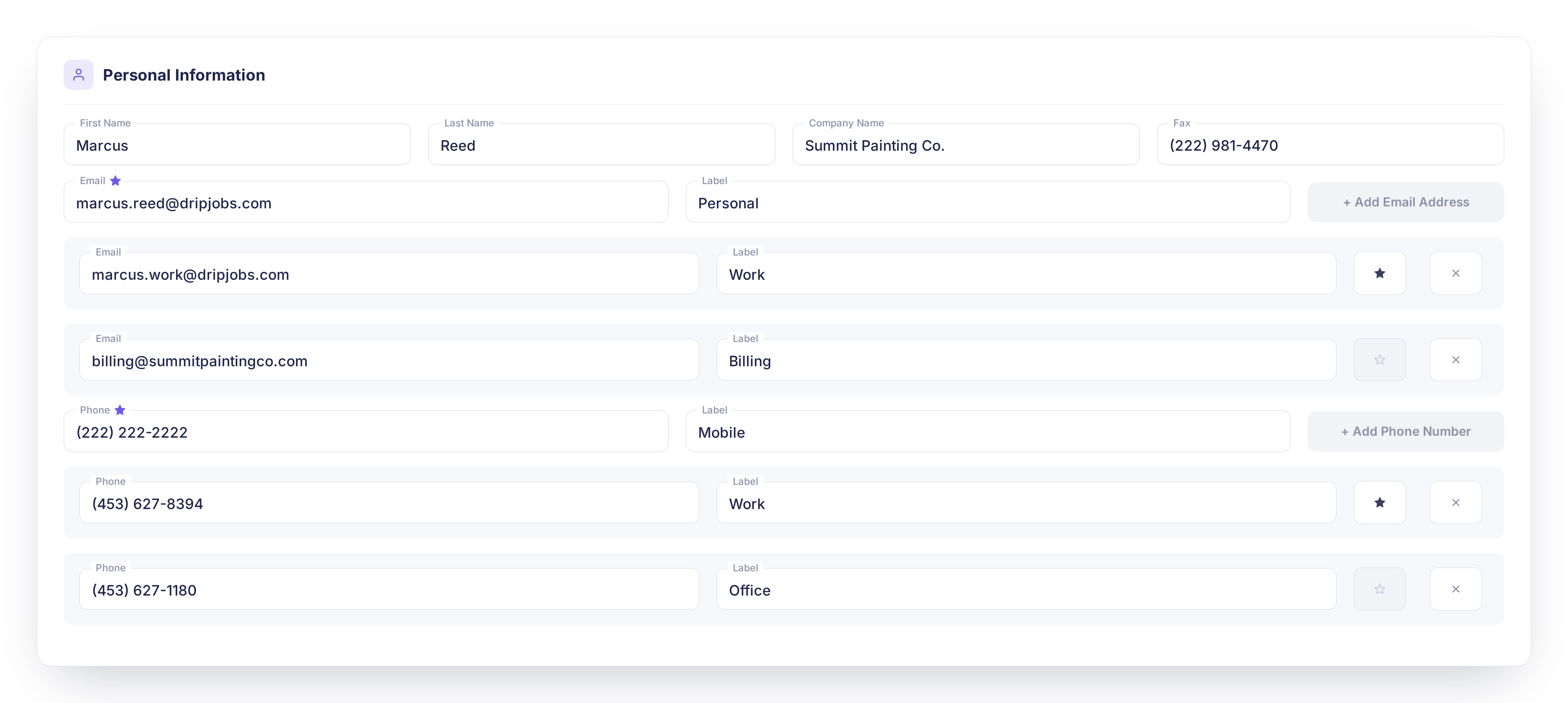
πŸ“§ The ability to add multiple emails to a contact for efficient proposal communication and invoicing!

πŸ“³ Notifications when a client views the proposal!

πŸ’¬ The option to cc multiple emails when sending a proposal or invoice!

As always, we love hearing your feedback! Let us know what you think, and stay tuned for more updates coming soon.

That’s all for nowβ€”see you next time! ✌️

– The DripJobs Team

January 29th, 2025

πŸ“’ Here's What Happened This Month . . .

πŸš€ DripJobs Academy Launch

We’ve introduced DripJobs Academy as a new resource for our customers! πŸŽ‰

  • Currently, the academy includes a few courses, but our goal is to expand it into a full suite of easy-to-absorb, manageable courses that cover the entire software.

  • This will serve as an on-demand learning hub to help users get the most out of DripJobs.

πŸ› οΈ Sales Pipeline Updates

We’ve made significant improvements to the Sales Pipeline to enhance visibility and efficiency. Check out our new video overview below. πŸ“Ή

  • Click HERE for updated help articles. πŸ“

πŸ“‹ Introducing the Sales List

As you can see in the above video, to complement our Sales Pipeline changes, we’ve launched the Sales List feature! πŸŽ‰

  • Users can now filter, export, and bulk email a subset of their leads using our Blast feature.

  • This update streamlines lead management and enhances sales efficiency.

  • Learn more in our updated help articles HERE.


πŸ”œ What's Coming Next . . . ?

πŸ’°Big News: Financing at Your Fingertips!

We’re excited to introduce an upcoming finance option that will allow our customers to offer financing solutions to their clients. This feature will provide added flexibility and convenience, helping businesses close more deals while giving their clients better payment options. Stay tuned for more details soon!


πŸ“… Join Our Weekly Webinars!

Starting this month, we’re hosting live webinars every Wednesday to help you get the most out of DripJobs! πŸš€

  • Learn about new features, best practices, and tips to streamline your workflow.

  • Engage with our team and ask questions in real-time.

  • Can’t make it live? No worries! All webinars will be recorded and available for later viewing.

πŸ”— Click HERE to register!


πŸ’‘ Share Your Ideas with Us!

We love hearing from our users! If you have a feature suggestion or an idea to improve DripJobs, let us know via FeatureBase. Your feedback helps shape the future of our platform!

πŸ”— Submit your ideas here: https://dripjobs.featurebase.app/

November 20th, 2024

As the seasons change, we’re rolling out updates designed to help you finish the year strong. Whether you’re sealing, painting, or prepping for winter projects, these new features are here to streamline your workflow and keep your tools sharp. Check out what’s new and get ready to tackle the season ahead!

DripJobs Chat (Browser Version)

We’ve expanded our Chat App for SMS messaging, making it accessible on your browser in addition to the app. Now you can seamlessly manage client communications from any device, providing even more flexibility and convenience for your business.

Navigate to the Left Hand Side of Your DripJobs Account and Click on 'Chat'

See this article for more information!


Card Labels

Card Labels are a powerful new feature designed to help teams stay organized and aligned. These labels act as internal reminders, allowing you to tag deal cards with key statuses or actions like β€œBad Info,” β€œNeed to Follow Up,” or β€œMaterial Ordered.” Whether it's tracking important tasks or flagging issues, Card Labels ensure everyone is on the same page and nothing slips through the cracks.


Deal Card Notes

We’re excited to introduce a new update to our β€˜Notes’ feature that lets you easily view and add customer service details. With this update, you can now access the notes left by the customer as well as add your own notes directly to their contact record from the Deal Card.


Global Deposit & Invoice Settings

You now have the ability to set default deposit and invoice settings in your Company Settings for greater consistency and efficiency!


As the year winds down, we’re focused on helping you stay connected with your clients and finish strong. These updates are designed to make communication easier and keep your workflow seamless, no matter the season. We’re always here to support you, so don’t hesitate to reach out with any questions or feedback!