April in Full Color 🎨
April was all about sharpening the tools you use every single day. From a completely reimagined Metrics Dashboard to smarter proposal workflows, faster mobile scheduling, and a wave of stability fixes — this month delivered depth and polish across the board.
📊 Metrics Dashboard
Metrics Dashboard — Full Redesign with KPI Banner & Breakdown Cards
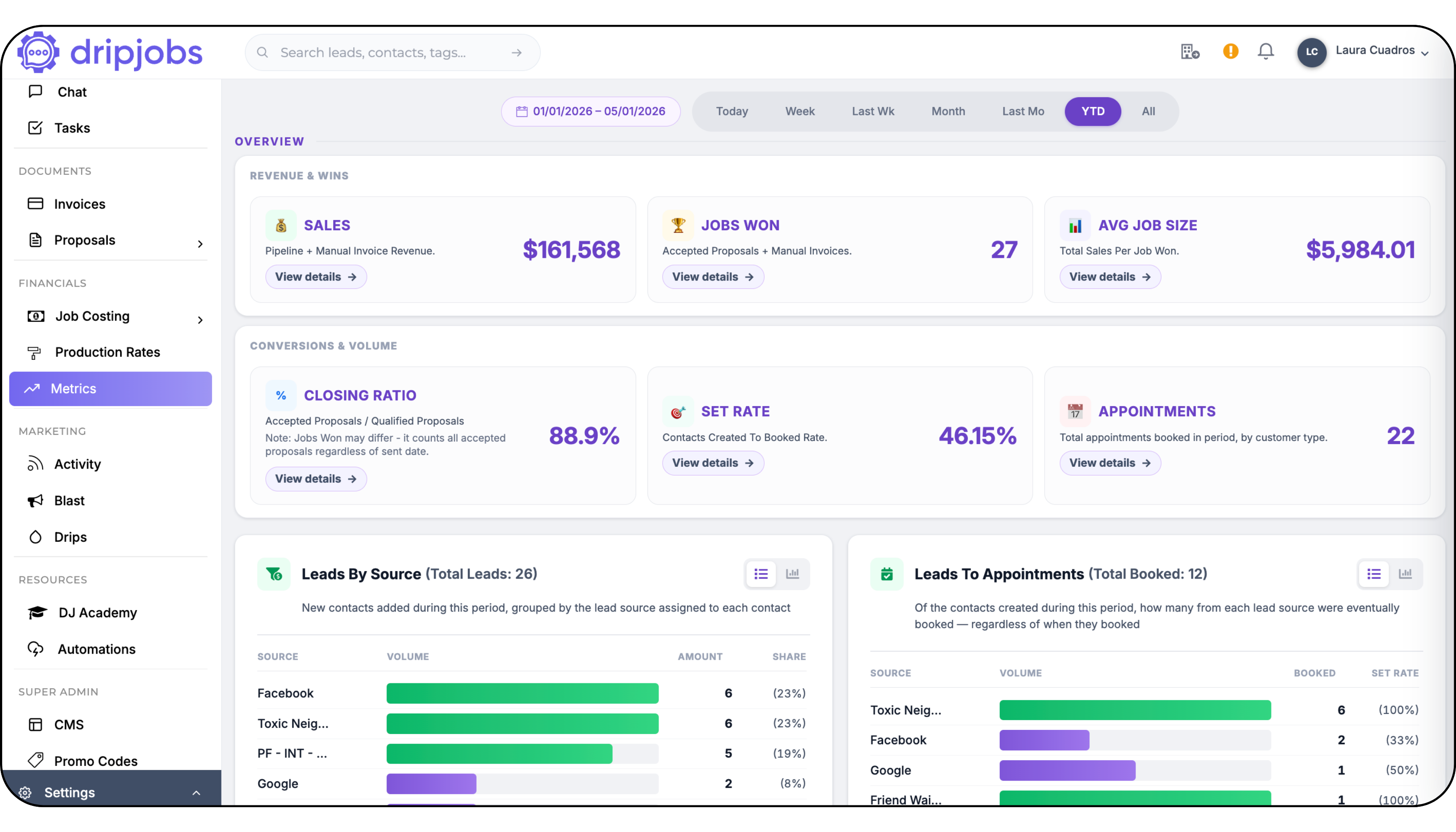
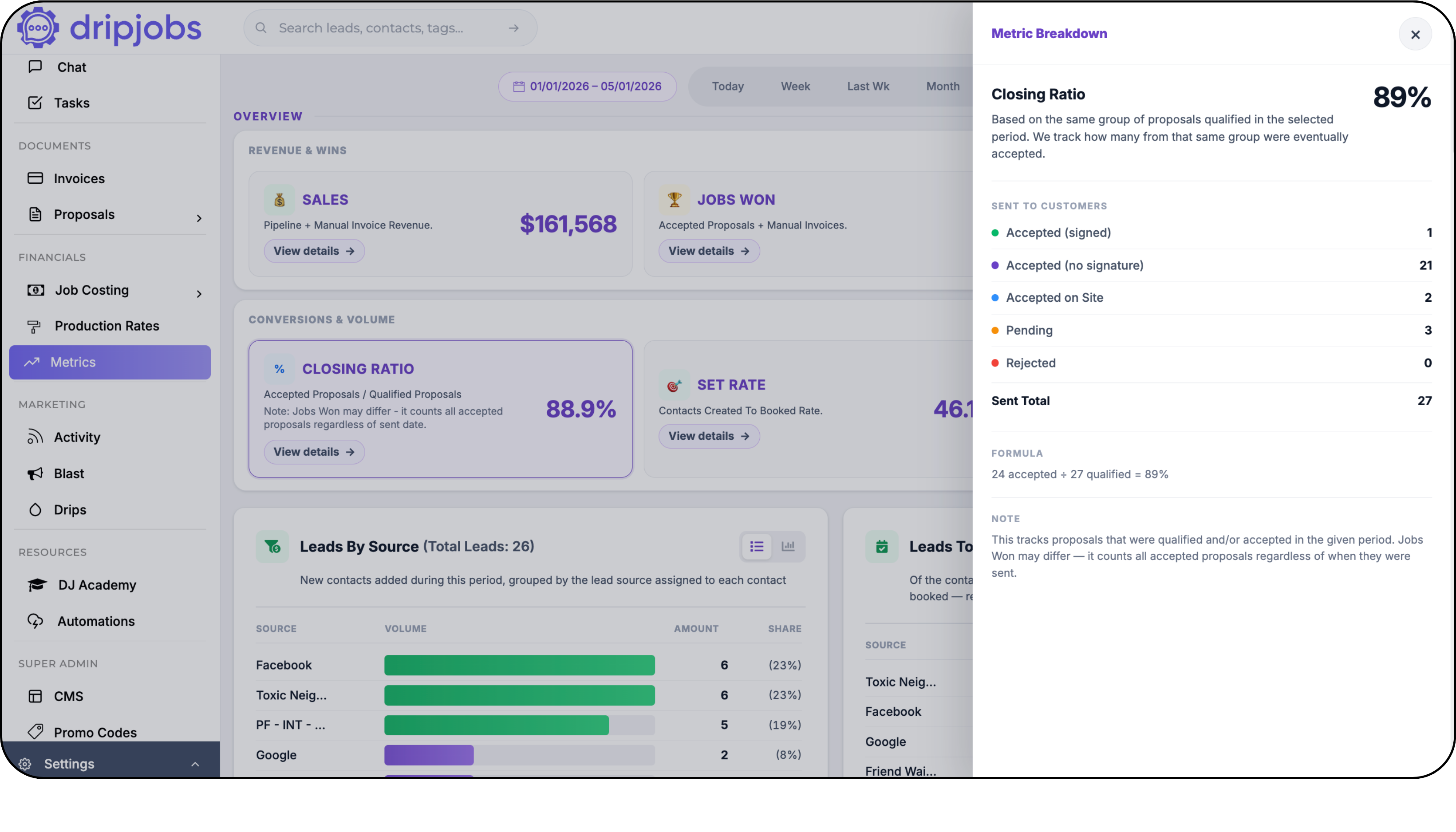
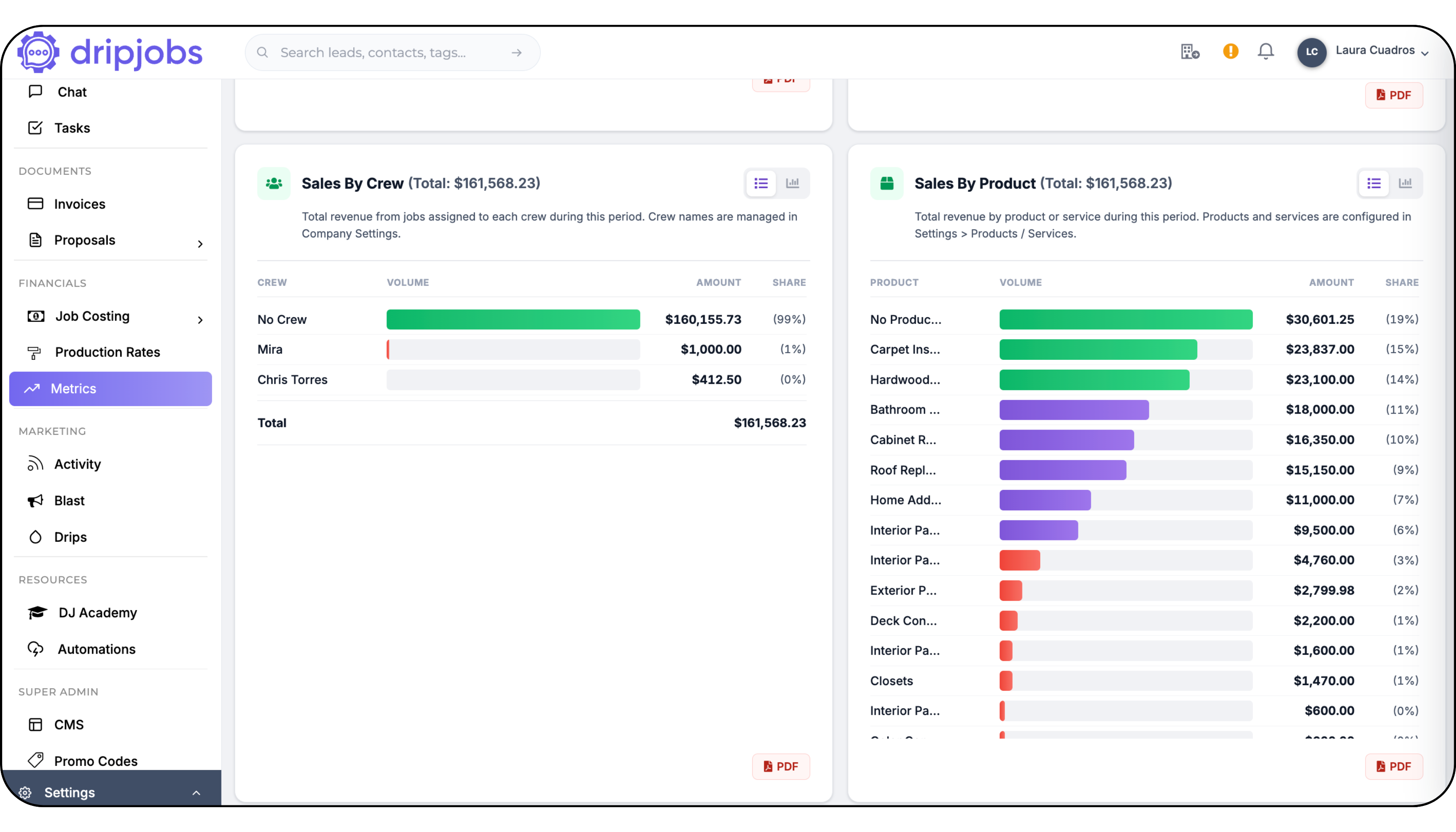
The Metrics Dashboard got its biggest upgrade yet — a complete ground-up redesign.
✅ New KPI Banner with two groups: Revenue & Wins (Sales, Jobs Won, Avg Job Size) and Conversions & Volume (Closing Ratio, Set Rate, Appointments) — all driven by the selected date range
✅ Clickable KPI cards now expand an inline detail panel (desktop) or a slide-in drawer (mobile) showing breakdowns and formulas for each metric
✅ 12 breakdowns section cards: Sales by Source, Salesperson, Zip, Crew, Product; Closing Ratio cards; Leads by Source; Leads to Appointments; Interior & Exterior Sales by Production Rate — all date-range filtered
Why it matters: You can finally see your business performance for any period in one place — and actually trust the numbers. Every KPI, every card updates together when you change the date range.
Action required: None! Head to your Metrics Dashboard and explore the new layout.
Metrics KPI Banner — Dedicated Mobile Layout
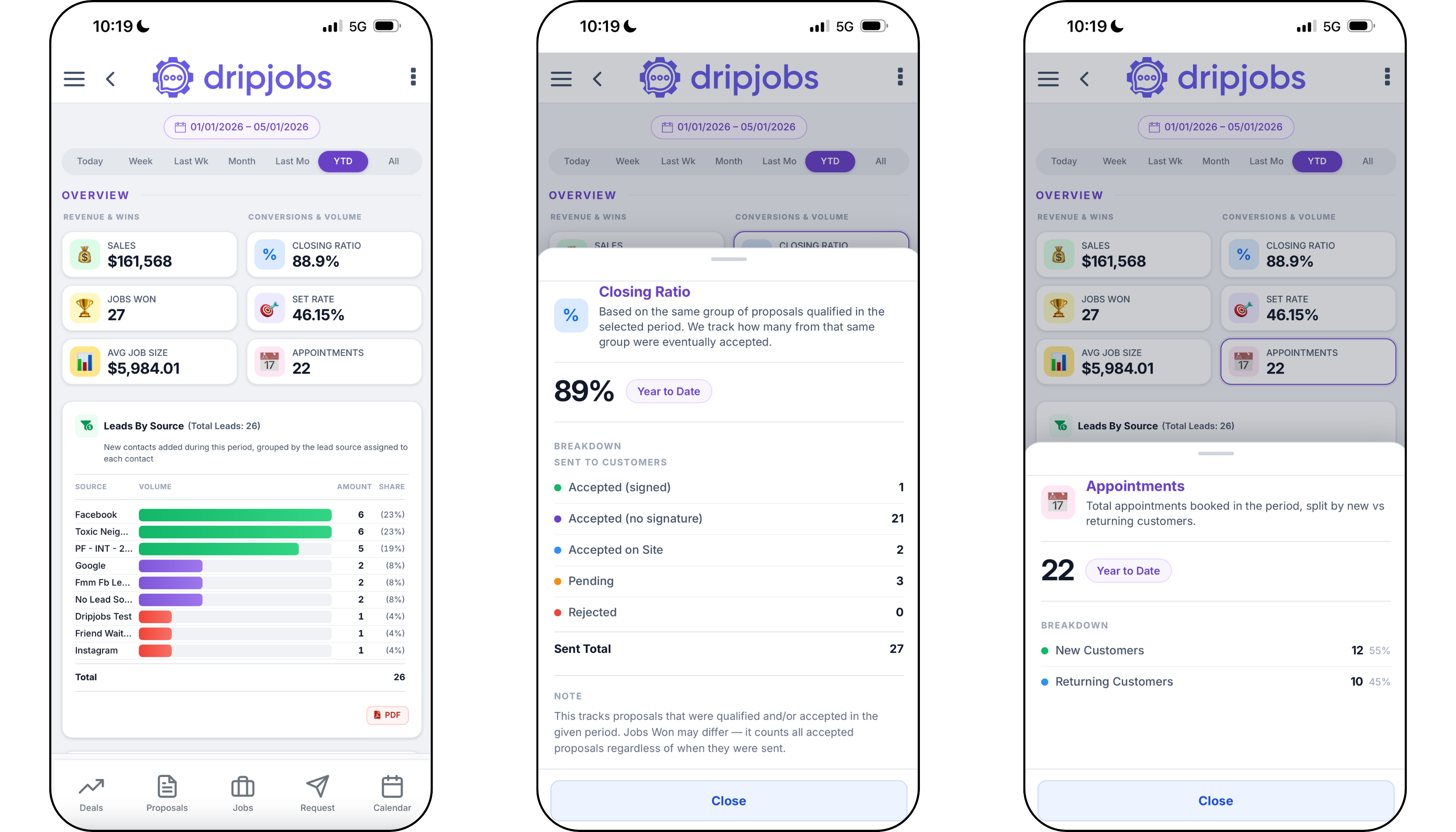
The KPI Banner now has a purpose-built mobile layout instead of a compressed desktop version.
✅ Mobile-optimized card layout with proper sizing and tap targets
✅ Period selector moves to a sticky sub-bar below the nav on mobile
✅ Metric detail drawers slide in from the right with a dimmed backdrop
Why it matters: You can check your numbers on the go without squinting or pinching to zoom.
Action required: None!
📋 Proposals
Bulk Product Changer — Swap Products Across an Entire Area at Once
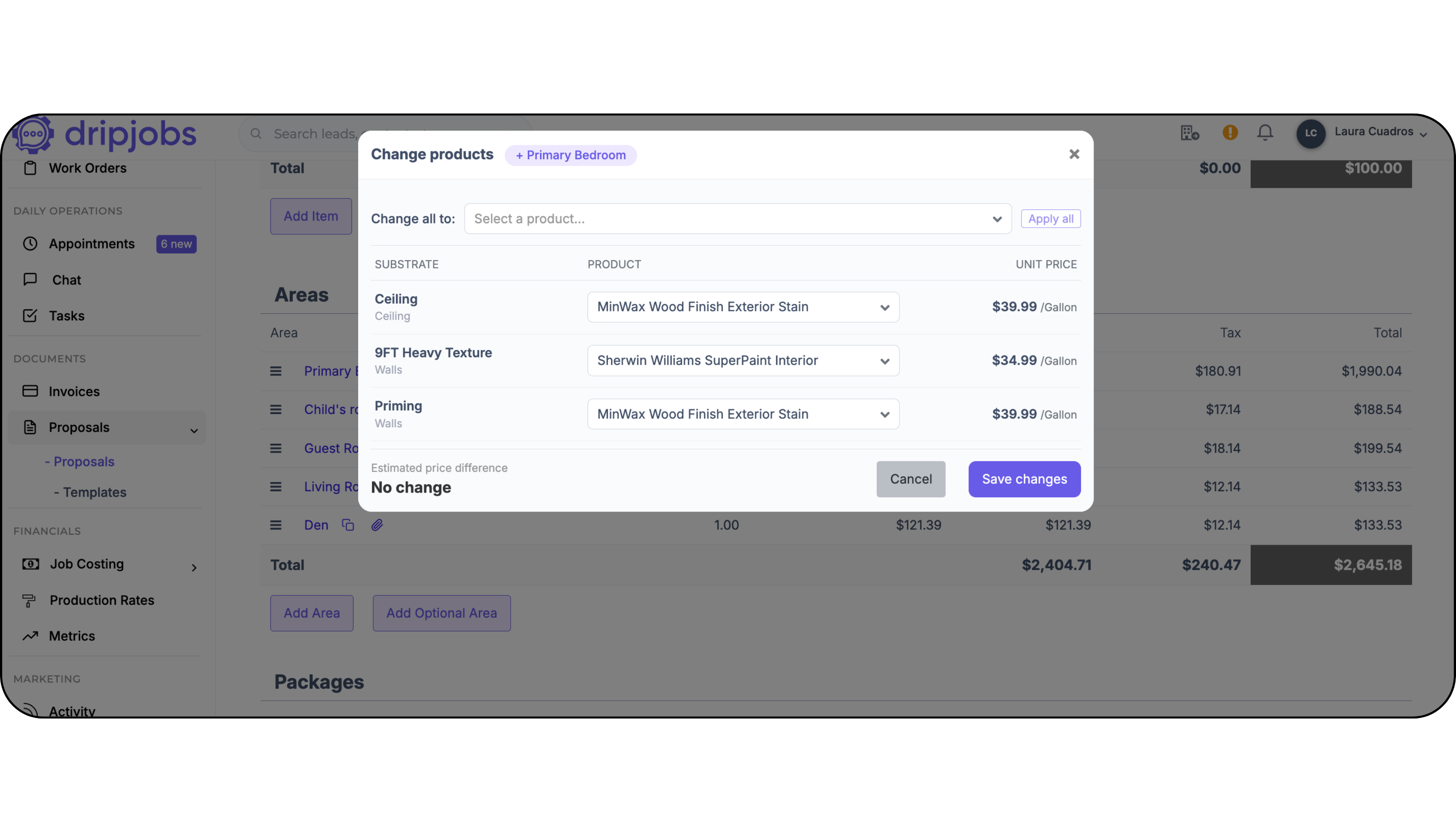
One of the most-requested features is finally here: change the paint product on every substrate in an area with a single action.
✅ New "Change products" modal accessible from a cog icon or a purple callout banner in the Cost Summary view
✅ "Apply all" button swaps the product on every substrate in the area at once; individual rows can still be edited independently
✅ Live material price difference preview shows the cost impact before you save — green for cost increases, red for savings
Why it matters: No more going substrate by substrate when a product changes or goes out of stock. What used to take 10 minutes now takes 10 seconds.
Action required: None! Open any proposal in Cost Summary view to find the new "Change products" option in each area header.
You can find our Article Guide Here: [Click here]
Invoice Due Date — Overdue Logic
Three related invoice bugs were patched in one shot.
✅ Overdue logic no longer fires on the same day the invoice is due (it now triggers the day after)
✅ Today's date is no longer blocked in the due date calendar picker
Why it matters: No more invoices showing as overdue the moment you create them, and no more fighting with the date picker.
Action required: None!
⚙️ Settings & Add-Ons
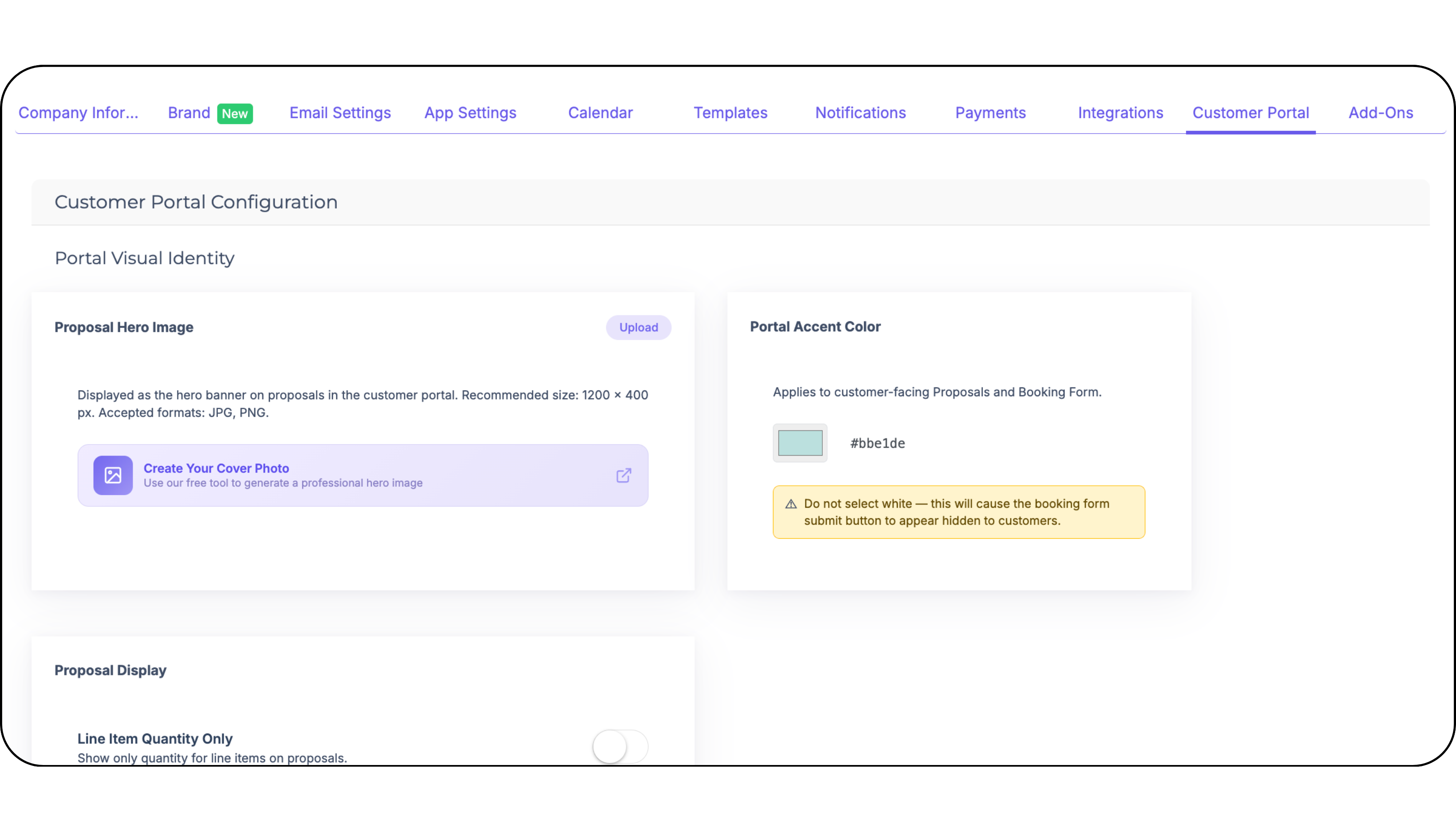
Relocate Portal Accent Color to Customer Portal Settings
The portal accent color setting was buried in a non-obvious location. It has been moved to Customer Portal Settings where it belongs.
✅ Portal Accent Color is now under Company Settings → Customer Portal
Action required: None! If you want to update your portal color, head to Company Settings → Customer Portal.
🔗 Integrations
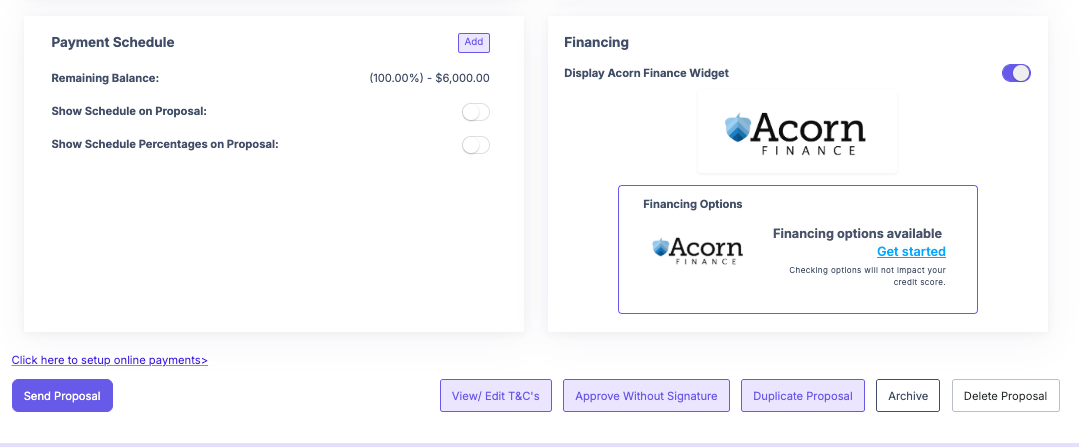
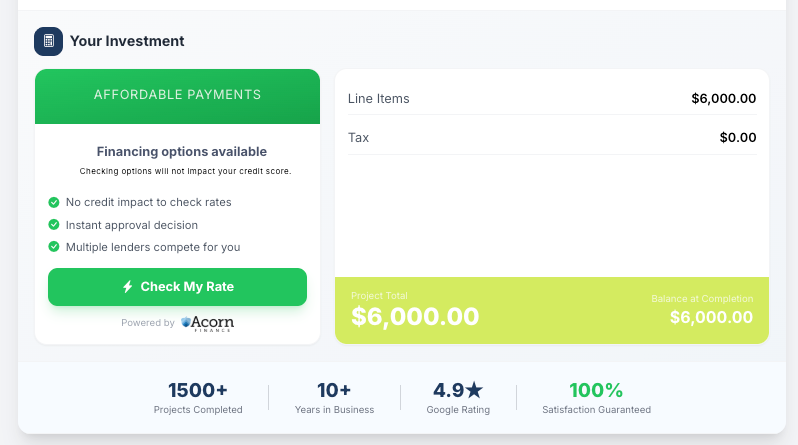
🆕 BETA: Acorn Financing Now Available for Canadian Contractors
Canadian contractors in eligible provinces can now offer Acorn Financing directly through DripJobs.
✅ Acorn Financing (via Fig / Canada Fig) is now enabled for supported Canadian provinces
✅ Upgrade messaging inside the app has been updated to reflect Canadian availability
✅ In-app Acorn upgrade message updated to match the new offering
Why it matters: Offer financing to your customers right from the proposal — close bigger jobs by removing the upfront payment barrier.
Action required: This is a Beta release. If you're a Canadian contractor and want to enable Acorn Financing, contact support to get set up.